Loading...
Searching...
No Matches
LED Class Reference
LED con simulación educativa: muestra verde (correcto), rojo (sobrecarga), negro (sin corriente / polaridad invertida). Usa MaterialPropertyBlock para evitar crear materiales duplicados en cada frame. More...
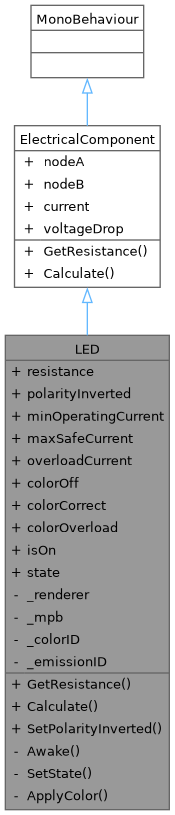
Inheritance diagram for LED:
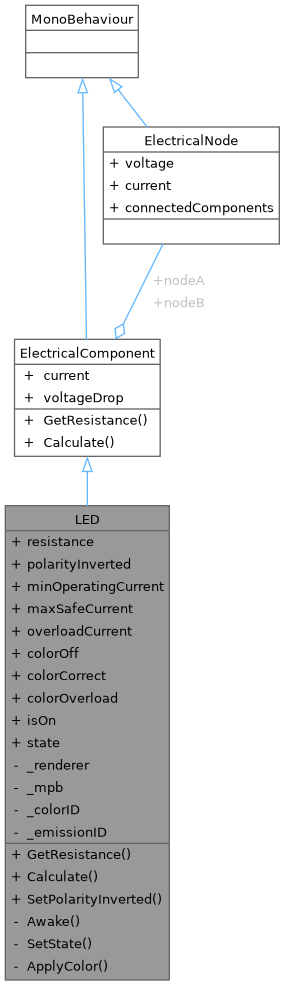
Collaboration diagram for LED:
Public Member Functions | |
| override float | GetResistance () |
| override void | Calculate () |
| void | SetPolarityInverted (bool inverted) |
| Invierte la polaridad del LED (útil para GameManager en Reto 3). | |
| Public Member Functions inherited from ElectricalComponent | |
| float | GetResistance () |
| void | Calculate () |
Public Attributes | |
| float | resistance = 50f |
| bool | polarityInverted = false |
| float | minOperatingCurrent = 0.005f |
| float | maxSafeCurrent = 0.02f |
| float | overloadCurrent = 0.1f |
| Color | colorOff = Color.black |
| Color | colorCorrect = Color.green |
| Color | colorOverload = Color.red |
| bool | isOn = false |
| LEDState | state = LEDState.Off |
| Public Attributes inherited from ElectricalComponent | |
| ElectricalNode | nodeA |
| ElectricalNode | nodeB |
| float | current |
| float | voltageDrop |
Private Member Functions | |
| void | Awake () |
| void | SetState (LEDState newState) |
| void | ApplyColor (Color color) |
| Aplica color con MaterialPropertyBlock — NO crea materiales nuevos. | |
Private Attributes | |
| Renderer | _renderer |
| MaterialPropertyBlock | _mpb |
Static Private Attributes | |
| static readonly int | _colorID = Shader.PropertyToID("_Color") |
| static readonly int | _emissionID = Shader.PropertyToID("_EmissionColor") |
Detailed Description
LED con simulación educativa: muestra verde (correcto), rojo (sobrecarga), negro (sin corriente / polaridad invertida). Usa MaterialPropertyBlock para evitar crear materiales duplicados en cada frame.
Member Function Documentation
◆ ApplyColor()
|
private |
Aplica color con MaterialPropertyBlock — NO crea materiales nuevos.
◆ Awake()
|
private |
◆ Calculate()
| override void LED.Calculate | ( | ) |
◆ GetResistance()
| override float LED.GetResistance | ( | ) |
◆ SetPolarityInverted()
| void LED.SetPolarityInverted | ( | bool | inverted | ) |
Invierte la polaridad del LED (útil para GameManager en Reto 3).
◆ SetState()
|
private |
Member Data Documentation
◆ _colorID
|
staticprivate |
◆ _emissionID
|
staticprivate |
◆ _mpb
|
private |
◆ _renderer
|
private |
◆ colorCorrect
| Color LED.colorCorrect = Color.green |
◆ colorOff
| Color LED.colorOff = Color.black |
◆ colorOverload
| Color LED.colorOverload = Color.red |
◆ isOn
| bool LED.isOn = false |
◆ maxSafeCurrent
| float LED.maxSafeCurrent = 0.02f |
◆ minOperatingCurrent
| float LED.minOperatingCurrent = 0.005f |
◆ overloadCurrent
| float LED.overloadCurrent = 0.1f |
◆ polarityInverted
| bool LED.polarityInverted = false |
◆ resistance
| float LED.resistance = 50f |
◆ state
| LEDState LED.state = LEDState.Off |
The documentation for this class was generated from the following file:
- Assets/Scripts/Electrical/LED.cs