Loading...
Searching...
No Matches
SensorStatusDisplay Class Reference
Muestra el estado del sensor en el panel físico de la nave. Se suscribe a OnCircuitChanged y actualiza el texto automáticamente. More...
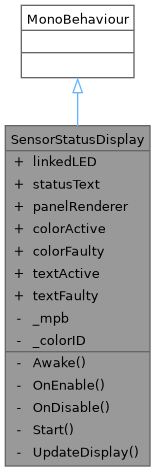
Inheritance diagram for SensorStatusDisplay:
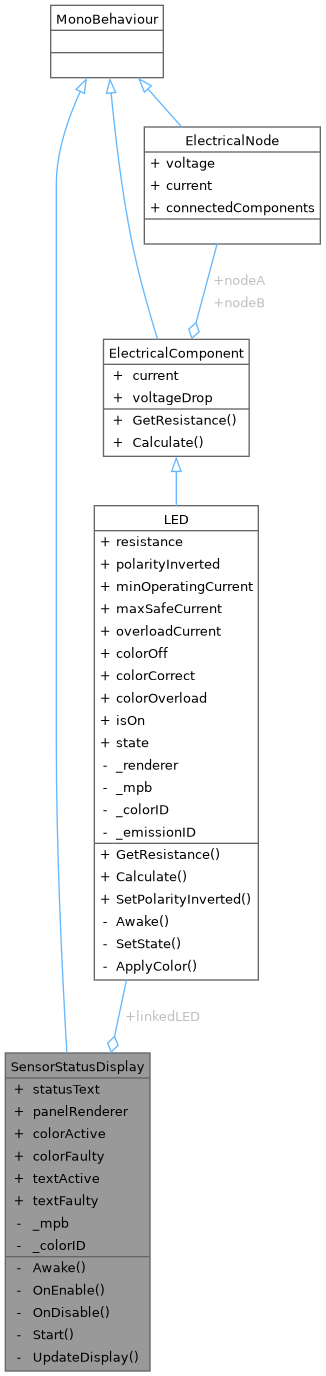
Collaboration diagram for SensorStatusDisplay:
Public Attributes | |
| LED | linkedLED |
| TMP_Text | statusText |
| Renderer | panelRenderer |
| Color | colorActive = new Color(0.1f, 0.6f, 0.2f) |
| Color | colorFaulty = new Color(0.7f, 0.1f, 0.1f) |
| string | textActive = "ACTIVO" |
| string | textFaulty = "SIN SEÑAL" |
Private Member Functions | |
| void | Awake () |
| void | OnEnable () |
| void | OnDisable () |
| void | Start () |
| void | UpdateDisplay () |
Private Attributes | |
| MaterialPropertyBlock | _mpb |
Static Private Attributes | |
| static readonly int | _colorID = Shader.PropertyToID("_BaseColor") |
Detailed Description
Muestra el estado del sensor en el panel físico de la nave. Se suscribe a OnCircuitChanged y actualiza el texto automáticamente.
SETUP en Unity — agregar a Panel_SensorA, Panel_SensorB, Panel_SensorC:
- Seleccionar Panel_SensorA → Add Component → SensorStatusDisplay
- Arrastrar el LED correspondiente al campo "linkedLED"
- Panel_SensorA → LED_A
- Panel_SensorB → LED_B
- Panel_SensorC → LED_C
- Arrastrar el Text (TMP) del panel al campo "statusText"
- Repetir para Panel_SensorB y Panel_SensorC
Member Function Documentation
◆ Awake()
|
private |
◆ OnDisable()
|
private |
◆ OnEnable()
|
private |
◆ Start()
|
private |
◆ UpdateDisplay()
|
private |
Member Data Documentation
◆ _colorID
|
staticprivate |
◆ _mpb
|
private |
◆ colorActive
| Color SensorStatusDisplay.colorActive = new Color(0.1f, 0.6f, 0.2f) |
◆ colorFaulty
| Color SensorStatusDisplay.colorFaulty = new Color(0.7f, 0.1f, 0.1f) |
◆ linkedLED
| LED SensorStatusDisplay.linkedLED |
◆ panelRenderer
| Renderer SensorStatusDisplay.panelRenderer |
◆ statusText
| TMP_Text SensorStatusDisplay.statusText |
◆ textActive
| string SensorStatusDisplay.textActive = "ACTIVO" |
◆ textFaulty
| string SensorStatusDisplay.textFaulty = "SIN SEÑAL" |
The documentation for this class was generated from the following file:
- Assets/Scripts/Electrical/SensorStatusDisplay.cs